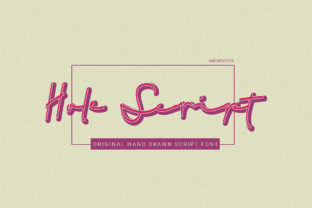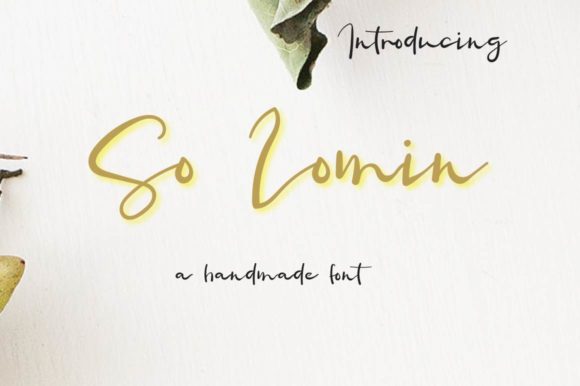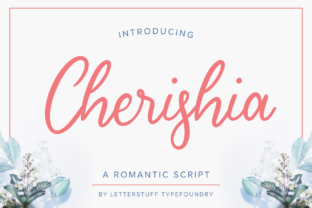
Hello Sakura: A Refined Handwritten Font for Authentic, Light-Touch Design
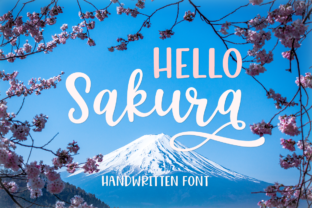
Hello Sakura is a carefully crafted handwritten typeface that delivers elegance without excess weight—literally and aesthetically. It’s not a decorative script meant for headlines alone, nor is it a casual doodle font designed for fleeting trends. Instead, Hello Sakura occupies a thoughtful middle ground: light in stroke, consistent in rhythm, and expressive in character. Its value lies in its restraint—each glyph feels intentional, legible at modest sizes, and harmonious when paired with clean sans-serifs or neutral serifs.
What Sets Hello Sakura Apart from Other Handwritten Fonts
Many handwritten fonts fall into one of two categories: overly ornate (with excessive flourishes that hinder readability) or too loose (lacking the consistency needed for professional layouts). Hello Sakura avoids both pitfalls. Its lowercase letters feature subtle variation in stroke width—not dramatic contrast like calligraphic scripts, but enough to suggest organic movement. The ascenders and descenders are gently tapered, and spacing is even without feeling mechanical. That balance makes Hello Sakura unusually versatile: it reads well in body text at 14–16px on screen, holds up in print at 10pt for captions or pull quotes, and retains charm at larger sizes for invitations or product packaging.
The font includes standard Latin characters, numerals, basic punctuation, and common diacritics—enough for English, Spanish, French, German, and Portuguese use in most digital and print contexts. It does not include extended Cyrillic, Greek, or Asian language support, which is worth noting if multilingual deployment is part of your workflow.
Practical Strengths in Real-World Use
In practice, Hello Sakura excels where authenticity matters more than formality. Think wedding stationery with minimal ink coverage, artisanal food labels, boutique skincare packaging, or editorial features highlighting personal narratives. Its lightness allows it to sit comfortably beside photography—especially soft-focus or natural-light imagery—without competing for attention. Unlike heavier scripts, it doesn’t visually “sink” into background textures or overwhelm delicate layouts.
We’ve seen Hello Sakura used effectively in email headers for small creative studios, where it adds warmth without sacrificing scannability. In one case, an independent educator used it for section headers in a downloadable workbook—readers reported the tone felt “approachable but polished,” reinforcing trust without sounding corporate. Another example: a local ceramics studio applied Hello Sakura to hand-stamped tags on packaging; because the letterforms avoid extreme thinning, they reproduced cleanly on uncoated kraft paper using basic foil-stamping equipment.
Its OpenType format supports basic ligatures and stylistic alternates—enough to add nuance without requiring deep typographic expertise. Most users will find the default character set sufficient for everyday needs; advanced typographic control isn’t Hello Sakura’s focus, and that’s part of its strength.
Who Benefits Most—and When It Might Fall Short
Hello Sakura serves creators who prioritize tone and cohesion over novelty. Freelance designers building brand identities for lifestyle brands, wellness practitioners launching digital courses, bloggers curating aesthetic newsletters, and small retailers developing cohesive in-store and online assets all report strong alignment with Hello Sakura’s voice. It’s especially useful when your audience responds to sincerity over polish—think handmade goods, personal coaching, literary zines, or community-focused nonprofits.
It’s less suited for high-contrast environments (e.g., outdoor signage or low-resolution mobile ads), dense UI elements, or situations demanding strict accessibility compliance at smaller sizes. While legible down to 12px in ideal conditions, WCAG contrast guidelines recommend avoiding light-weight handwritten fonts for primary interface text or critical instructions. For those uses, pairing Hello Sakura with a highly legible sans-serif—like Inter, Lato, or Source Sans Pro—is both practical and aesthetically sound.
Also consider workflow fit. Hello Sakura is delivered as a desktop font (OTF/TTF) and works reliably in Adobe Creative Cloud apps, Affinity Suite, Figma (via desktop plugin or web app with upload), and modern versions of Canva. It does not have a native web font version (WOFF/WOFF2), so embedding it directly into live websites requires self-hosting and proper licensing—something to verify before committing to long-term web use.
Quality, Consistency, and Long-Term Usability
The glyph set shows tight quality control: no inconsistent baseline shifts, no erratic kerning pairs, and no stray vector artifacts. Characters align cleanly across weights (though Hello Sakura is a single-weight family—no bold or italic variants exist). This uniformity means fewer manual corrections during layout—valuable when iterating quickly across multiple formats (e.g., social post, blog banner, PDF guide).
That single-weight nature is both a strength and a limitation. It simplifies licensing and reduces file bloat, but also means you’ll need a complementary font for emphasis or hierarchy. In practice, this encourages thoughtful typography rather than relying on font weight alone—a discipline many experienced designers appreciate. We’ve found Roboto, Nunito, and even Georgia serve as grounded, readable pairings that let Hello Sakura shine without visual tension.
Reliability extends to rendering. Tested across macOS Monterey through Sonoma and Windows 10–11, Hello Sakura displays consistently in Chrome, Firefox, Edge, and Safari. No glyph substitution issues were observed in standard design or publishing software, and print output remains crisp even at 300dpi+ on offset and digital presses.
Realistic Recommendations for Implementation
If you’re evaluating Hello Sakura for a project, start with three concrete tests:
- Readability test: Set a paragraph of body copy at 14px in your intended layout environment (e.g., Figma artboard, InDesign document, or live webpage preview). Read it aloud. Does the rhythm feel natural? Does any character distract or blur?
- Pairing test: Combine Hello Sakura with your primary sans-serif or serif at headline, subhead, and caption sizes. Does the contrast support hierarchy—or does one overpower the other?
- Output test: Export a sample to PDF and view it on two different devices (e.g., laptop and phone). Then, if applicable, run a soft proof for CMYK print. Check for unexpected thinning or color shift in light strokes.
For ongoing use, treat Hello Sakura as a tone-setting element—not a utility font. Reserve it for moments where human voice matters: quote attribution, signature lines, short calls to action (“Join us,” “Start here”), or branding elements that benefit from implied craftsmanship. Avoid stretching it across full-page banners or using it for data tables, navigation menus, or legal disclaimers.
Finally, review the license carefully. Most versions permit commercial use, including client work and merchandise, but prohibit redistribution or modification. If you plan to embed Hello Sakura in an app or SaaS platform, confirm whether the license covers that use case—some vendors require extended licensing for embedded digital products.
Hello Sakura won’t solve every typographic challenge, nor should it. What it does well—and consistently—is lend quiet confidence to designs that aim for sincerity over spectacle. It’s the kind of font that fades into the background just enough to let content breathe, yet leaves a distinct impression of care. For professionals who understand that typography is never neutral—but always communicative—it’s a dependable, quietly effective tool.