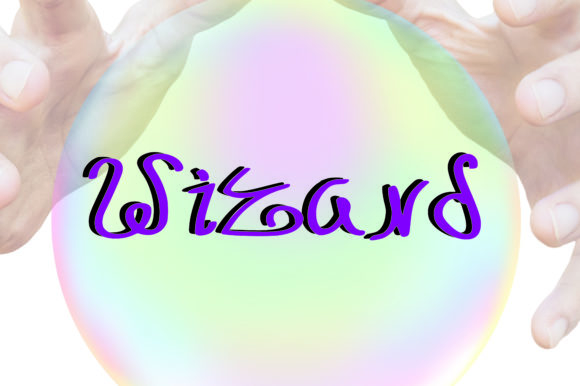
Wizard: A Magical Handwritten Font
If you've ever clicked “add to cart” on a font only to find it looks stiff or generic in your design—then Wizard might be the playful spark your project needs. It’s not just another script font. Wizard is a thoughtfully crafted, whimsical handwritten typeface that feels like ink freshly drawn by a clever hand—slightly uneven, full of personality, and quietly confident.
What Makes Wizard Feel So Magical?
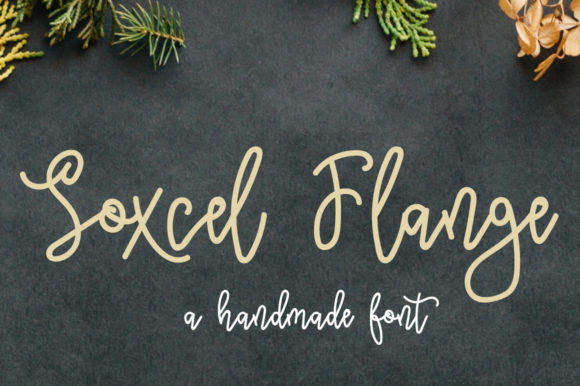
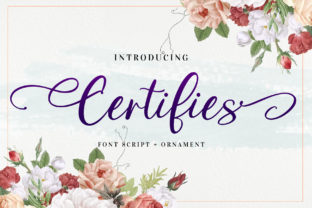
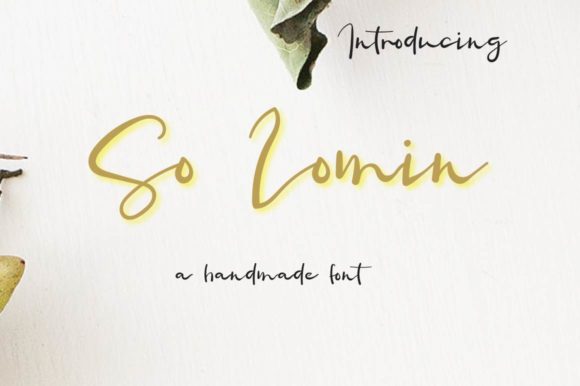
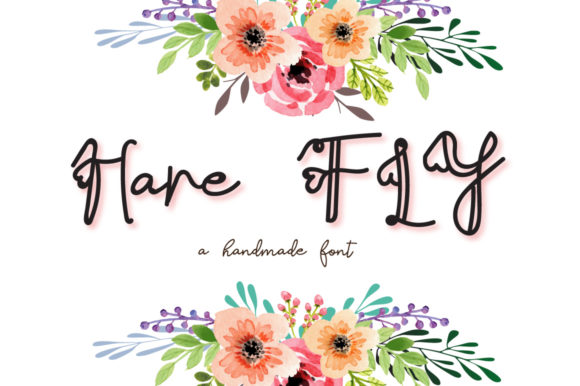
Wizard isn’t trying to mimic calligraphy with perfect flourishes. Instead, it leans into charm: subtle variations in stroke weight, gentle swashes, soft terminals, and a relaxed rhythm that invites the eye to linger. Letters connect naturally—not mechanically—and spacing breathes just right, so even short phrases feel alive. That “magical” quality comes from authenticity, not ornamentation.
It’s playful without being childish. Friendly without being casual. Distinctive without demanding attention. Whether you're designing a birthday invite, a boutique logo, or a classroom poster, Wizard adds warmth and intention—like someone took time to write it just for you.
Where Does Wizard Shine in Real Life?
Adults across many roles reach for Wizard when they want their work to feel human-centered and memorable:
- Small business owners use it for café chalkboard menus, handmade product labels, and Instagram story highlights—giving local charm a visual voice.
- Educators and homeschoolers apply it to reading worksheets, classroom banners, or student award certificates—making learning materials feel inviting, not intimidating.
- Bloggers and content creators drop it into Pinterest quote graphics or email newsletter headers—standing out in crowded feeds without shouting.
- Freelancers and designers layer it over minimalist layouts to add contrast and character—especially when pairing it with clean sans-serifs like Inter or Lato.
- Event planners and hobbyists build wedding signage, baby shower decorations, or holiday cards where sincerity matters more than polish.
You don’t need design experience to use Wizard well. Its OpenType features (like alternate characters and ligatures) are optional—so beginners can start with the standard set and grow into extras later.
How to Use Wizard Without Overdoing It
Because it carries so much presence, Wizard works best when given room to breathe. Think of it as the “main character” in your typography cast—not the supporting ensemble. Here’s what works in practice:
- Use it for headlines, quotes, logos, or short statements—never long paragraphs or body text.
- Pair it with neutral, highly legible fonts for contrast (e.g., Roboto for web, Merriweather for print).
- In digital projects, test readability at smaller sizes—Wizard shines at 24pt and up on screens, but may soften below 18pt depending on background contrast.
- For branding, consider how its tone matches your audience: it fits a pottery studio beautifully, but may feel out of place on a fintech dashboard.
One practical tip: try typing your phrase in all caps first—even though Wizard isn’t a caps-heavy font, seeing it uppercase helps gauge rhythm and balance before settling on sentence case.
Why People Choose Wizard Over Other Handwritten Fonts
There’s no shortage of script fonts online. What sets Wizard apart is consistency *with* character. Some handwritten fonts sacrifice legibility for flair; others feel too uniform, like a robot pretending to sketch. Wizard avoids both traps. Its lowercase “a,” “g,” and “y” have friendly, open shapes—easy to read at a glance. Uppercase letters have gentle curves instead of sharp angles, making them approachable rather than imposing.
It also scales well. Whether you’re printing a 36” wall mural or exporting a 1200×630 social graphic, Wizard holds its expressiveness without pixelating or losing nuance. And because it’s designed with modern file formats (WOFF2, OTF, TTF), it integrates smoothly into Canva, Adobe Creative Cloud, Figma, and most website builders.
Things to Keep in Mind Before You Download
Wizard is intentionally expressive—so it’s worth pausing to ask: does this match the message I’m sending? A law firm’s official letterhead likely calls for clarity over charm. But that same firm’s community workshop flyer? Wizard could make it feel welcoming and accessible.
Licensing matters too. The free version often includes basic characters and limited weights—great for testing. For commercial use (like selling branded merch or client work), check the license terms. Most reputable vendors offer clear, one-time purchase options with broad usage rights.
Also, remember that fonts don’t fix weak hierarchy or poor color contrast. Wizard will elevate your design—but only if supported by thoughtful layout and accessible color choices (e.g., dark Wizard text on light cream, not pale yellow).
A Few Simple Ideas to Try Today
- Create a printable “You’ve Got This!” affirmation card—use Wizard for the phrase, pair with a soft watercolor background.
- Redesign your email signature: Wizard for your name, a simple sans-serif for title and contact info.
- Make a weekly planner header: “This Week’s Magic” in Wizard, followed by bullet points in a clean secondary font.
- Design a small batch label for homemade jam—“Blackberry Spell” in Wizard, ingredients listed cleanly underneath.
No special tools needed. Even Google Docs users can paste in a downloaded TTF and experiment—just keep exports as PNGs or PDFs for best results.
Final Thought: Magic Is in the Details
Wizard doesn’t promise overnight success or viral fame. What it offers is something quieter but just as valuable: the ability to communicate with sincerity and style. In a world of templates and algorithms, choosing a font like Wizard is a small act of care—for your audience, your message, and your own creative voice. It reminds us that thoughtful design doesn’t always mean complex. Sometimes, it means picking the right handwritten note—and letting it speak clearly, kindly, and just a little magically.