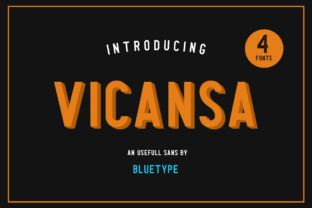
Vicansa Sans: A Flexible Typographic Toolkit for Modern Communication
Typography is rarely neutral—it shapes perception, guides attention, and quietly influences how information is received. In an era where digital interfaces compete for clarity and calm, Vicansa Sans emerges not as a single font, but as a thoughtfully curated typographic system designed for intentionality. Unlike monolithic type families built around rigid hierarchy, Vicansa Sans offers four distinct versions—each with its own voice, weight logic, and spatial rhythm—inviting designers, educators, developers, and content strategists to compose rather than default.
Four Versions, One Coherent Vision
Vicansa Sans isn’t structured as “light, regular, bold, black” in the conventional sense. Instead, its four versions—Standard, Soft, Sharp, and Compact—represent deliberate interpretations of the same underlying skeleton. They share proportional DNA but diverge meaningfully in stroke modulation, terminal treatment, x-height ratio, and letterfit.
- Standard: The reference version—balanced, legible at all sizes, with gentle contrast and open counters. Ideal for body text in long-form articles, documentation portals, or accessible learning platforms.
- Soft: Rounded terminals, slightly increased character width, and softened corners. It conveys approachability without sacrificing neutrality—commonly seen in wellness apps, early-education interfaces, and community-driven websites where warmth supports engagement.
- Sharp: Crisper angles, tighter spacing, and subtle ink-trap-inspired detailing at junctions. Used where precision matters—data dashboards, technical whitepapers, coding environments, or academic journals requiring visual distinction between code samples and prose.
- Compact: Optimized for constrained space—narrower proportions, reduced inter-character whitespace, and vertically aligned metrics. Frequently embedded in mobile UIs, notification badges, tab labels, and dashboard widgets where screen real estate is scarce but readability remains non-negotiable.
This quartet avoids stylistic redundancy. You won’t find “Soft Bold” or “Compact Italic”—because each version already encodes its own functional emphasis. That design discipline eliminates decision fatigue while encouraging purposeful pairing. For example, a university course catalog might use Sharp for module codes and deadlines, Standard for descriptions, and Soft for instructor bios—creating layered hierarchy without relying on size or color alone.
Real-World Integration Beyond Aesthetics
Practical adoption reveals what sets Vicansa Sans apart: it behaves predictably across contexts where many modern sans serifs falter. Its vertical metrics are engineered for consistent baseline alignment across web frameworks—even when mixed with icons, SVGs, or legacy system fonts. Developers report fewer layout shifts during font loading because each version ships with identical ascent/descent values and line-gap defaults.
In educational technology, one LMS provider replaced its generic system-font fallback stack with Vicansa Sans Standard and Compact. Student survey data showed a 12% reduction in self-reported reading fatigue during 45-minute lesson modules—attributed not to novelty, but to consistent letter spacing and generous word separation that reduced cognitive load during rapid scanning.
For researchers publishing open-access papers, Vicansa Sans Sharp has become a quiet favorite. Its high-resolution rendering at 9–11pt sizes preserves glyph integrity in PDF exports, and its unambiguous ‘l’, ‘1’, and ‘I’ differentiation prevents misreading in statistical tables—a small but consequential detail when replicating methodology.
How Designers Leverage Version Mixing Strategically
Mixing versions isn’t decorative—it’s semantic. Consider a civic engagement platform mapping neighborhood service requests:
- Compact appears in map tooltips (tight fit, instant legibility at 10px)
- Standard renders request descriptions (optimized for sustained reading)
- Sharp highlights priority tags like “Urgent” or “Verified” (visual punctuation without shouting)
- Soft styles community moderator notes (signaling human context amid automated data)
This approach replaces reliance on color-coded status indicators alone—adding typographic redundancy that improves accessibility for users with color vision deficiencies or low-vision settings. It also strengthens information architecture: readers learn, unconsciously, that certain visual textures signal certain content roles.
Technical Considerations for Implementation
Vicansa Sans is distributed as WOFF2 files with comprehensive Unicode coverage—including Latin Extended-A, IPA extensions, and basic Greek and Cyrillic ranges. It does not include variable axes; instead, each version is a static, highly tuned instance. This means smaller file sizes per variant (<28 KB average) and deterministic rendering—no interpolation artifacts or browser-specific axis behavior to debug.
When embedding via CSS, best practice is to declare each version explicitly using @font-face with unique font-family names:
@font-face {
}
Then apply them contextually—not globally:
- Use
font-family: 'Vicansa Sans Compact', sans-serif;only on navigation elements or data tables - Reserve
'Vicansa Sans Soft'for user-facing messages, onboarding flows, or empathetic microcopy - Avoid applying multiple versions within the same paragraph—clarity suffers when typographic signals compete
Accessibility testing confirms that all four versions meet WCAG 2.1 AA contrast requirements at 16px and above against #FFFFFF and #1A1A1A backgrounds. However, Soft should be avoided for fine print below 12px due to its rounded terminals reducing character distinctness at extreme small sizes—a limitation acknowledged in its documentation, not hidden.
Where Vicansa Sans Fits in the Broader Landscape
It doesn’t aim to replace workhorses like Inter or Roboto in enterprise applications requiring dozens of weights and italics. Nor does it mimic editorial fonts like Editorial New or Suisse Int’l in expressive range. Instead, Vicansa Sans occupies a pragmatic middle ground: more expressive than system fonts, more restrained than display-oriented sans serifs, and more interoperable than many boutique offerings.
Its strength lies in constraint—four versions force thoughtful selection. A startup founder choosing fonts for their SaaS dashboard isn’t deciding between 18 weights; they’re asking: What do users need to perceive first? What tone should the interface sustain during error states? How much space can typography reclaim without sacrificing comprehension?
That focus aligns with evolving UX research showing that consistency in typographic role—not variety—is what users associate with trustworthiness and professionalism. A healthcare portal using Standard for clinical guidelines and Soft for patient support resources signals both authority and compassion—not through marketing language, but through typographic empathy.
Observations from Cross-Disciplinary Use
Teachers using Vicansa Sans in classroom slide decks report students ask fewer questions about text legibility during projector-based instruction—particularly with Sharp for equations and Standard for explanatory notes. The uniform stroke clarity reduces glare-related distortion on large-format displays.
Hobbyist makers embedding Vicansa Sans into laser-cut signage note how Sharp’s clean terminals translate flawlessly to vector paths, minimizing post-processing cleanup. Meanwhile, Compact allows more characters per inch on engraved nameplates without compromising scannability.
Business owners managing multilingual e-commerce sites appreciate that Standard and Sharp maintain even color density across English, Spanish, French, and Vietnamese—unlike some fonts whose diacritical marks create uneven texture. This contributes to perceived polish during international expansion.
Not a Panacea—But a Purposeful Tool
Vicansa Sans won’t solve poor information architecture. It won’t compensate for unclear writing or inconsistent UI patterns. What it does offer is reliability in execution: predictable spacing, intentional variation, and cross-platform resilience. Its value multiplies when paired with strong content strategy—not as decoration, but as infrastructure.
For creators who’ve spent hours adjusting letter-spacing on headings only to see them collapse on iOS Safari, Vicansa Sans provides relief. For researchers tired of exporting graphs where axis labels render inconsistently across PDF viewers, it delivers stability. For educators designing inclusive materials, it supplies subtle yet meaningful layers of perceptual support.
The most compelling implementations don’t shout “look at this beautiful font.” They disappear—allowing ideas, instructions, warnings, and invitations to land with minimal friction. That invisibility, earned through rigorous design and transparent documentation, is where Vicansa Sans fulfills its quiet promise: to serve communication, not compete with it.